
Features
What WollConnect does
An agent on the machine, a viewer for the technician, a portal for administration. What that means in daily work is below — without a feature list made entirely of nouns.
Book a walkthrough See cloud plans
Agent
Runs as a system service on Windows and macOS and is reachable as soon as the machine is powered on. Because it is a service, the sign-in screen, User Account Control and Ctrl+Alt+Del all work — the places where attended tools give up.
It opens the connection outbound itself. No inbound firewall rule is needed on the customer's network.
Viewer
Streams hardware-accelerated in H.264, HEVC or VP9 — whichever both ends support — and falls back to a still-image mode when needed. Multiple monitors are detected and shown individually or together.
Scaled displays are handled correctly, so the pointer lands where you point instead of offset. Available for Windows and macOS.
Files and clipboard
Files transfer in both directions. On the target machine the familiar Windows progress dialog appears, so the user can see something is happening. Larger transfers continue in the background and can be cancelled. The clipboard transfers on a keystroke.
Administration
Customers, machines, technicians and permissions are managed in the portal — or in the control centre, a standalone Windows application for daily work. Rights are granted individually, not as a bundle.
- Installers prepared per customer
- Two-factor authentication for sign-in
- Sessions and jobs recorded
- Patch management for Windows, Exchange and third-party software
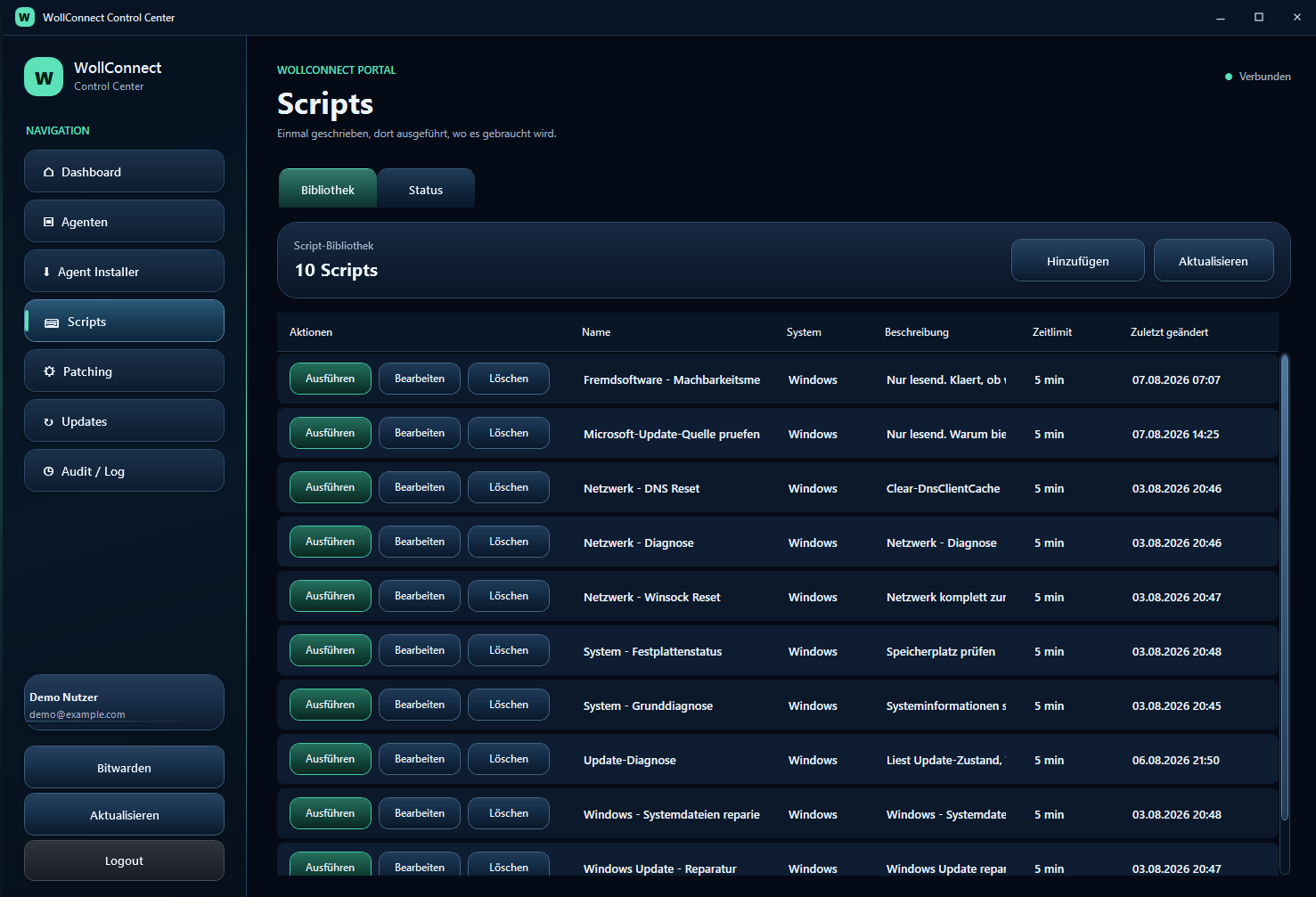
- Scripts in PowerShell and zsh, queued for machines that are switched off
- Software deployment, including unattended endpoint protection rollout
Frequently asked questions
Do scripts run on machines that are switched off?
The job is queued and runs as soon as the machine reports in. Jobs expire after a configurable period so nothing starts unexpectedly weeks later.
Is there a macOS viewer?
Yes. Agent and viewer are available for Windows and macOS.